
Why Can't Your Laptop Just Run ChatGPT?
CPU vs GPU, explained from zero. Why AI needs a room full of expensive chips when you already own a powerful computer.
 Saif Bagmaru//7 min read
You’re reading this on a device that would have been a supercomputer 25 years ago. Your laptop can edit 4K video, run games with movie-quality graphics, and juggle a hundred browser tabs (okay, maybe that last one is a stretch).
So here’s a fair question:
If your laptop is this powerful, why can’t it just run ChatGPT?
Why do the companies building AI spend billions of dollars on giant warehouses full of special chips, when you’ve got a perfectly good computer sitting on your lap?
The answer comes down to a single idea: your laptop and an AI server are good at completely different kinds of work. Once you understand that difference, almost everything about how LLMs run will start to make sense.
Let’s build that understanding from the ground up. No prior knowledge needed.
Meet the CPU: a few brilliant workers
Every computer has a CPU — the Central Processing Unit. It’s the “brain” of your laptop, the chip that runs your operating system, opens your apps, and does basically everything you think of as “using a computer.”
Here’s the key thing about a CPU: it has a small number of very powerful cores. A “core” is just a worker that can do one task at a time. Your laptop probably has somewhere between 4 and 16 of them.
But each of those cores is incredibly fast and incredibly smart. A single CPU core can make complicated decisions, follow twisty logic (“if this, then that, but only when this other thing is true”), and switch between wildly different tasks in an instant.

Think of a CPU as a handful of Nobel-laureate mathematicians. If you hand them a single hard, complicated problem — one that requires careful step-by-step reasoning — they’ll solve it faster than anyone. They’re masters of doing one complicated thing after another.
That’s exactly what running an operating system needs: thousands of different little decisions, all depending on each other, happening in sequence.
But here’s the catch. What if you didn’t have one hard problem? What if you had a billion tiny, identical, boring problems — and you needed all of them solved right now?
Your handful of geniuses would be a terrible fit. Even the smartest mathematician can only do one multiplication at a time. A billion of them, one after another, would take forever.
For that, you need something completely different.
Meet the GPU: a stadium full of simple workers
The GPU — Graphics Processing Unit — was originally invented for video games. Drawing 3D graphics means calculating the color of millions of pixels on your screen, over and over, 60 times a second. Every pixel needs the same simple kind of math. Millions of them. Simultaneously.
So GPUs were built the opposite way from CPUs. Instead of a few brilliant workers, a GPU has thousands of simple ones.

Picture a stadium filled with school students, each one able to do just one small multiplication. No single student is impressive. But if you need a million multiplications done at once, you don’t want geniuses working one by one — you want the whole stadium raising their answers simultaneously.
This is the trade-off at the heart of everything:
CPU
Optimized for doing complicated things quickly, one after another.
GPU
Optimized for doing simple things in enormous bulk, all at once.
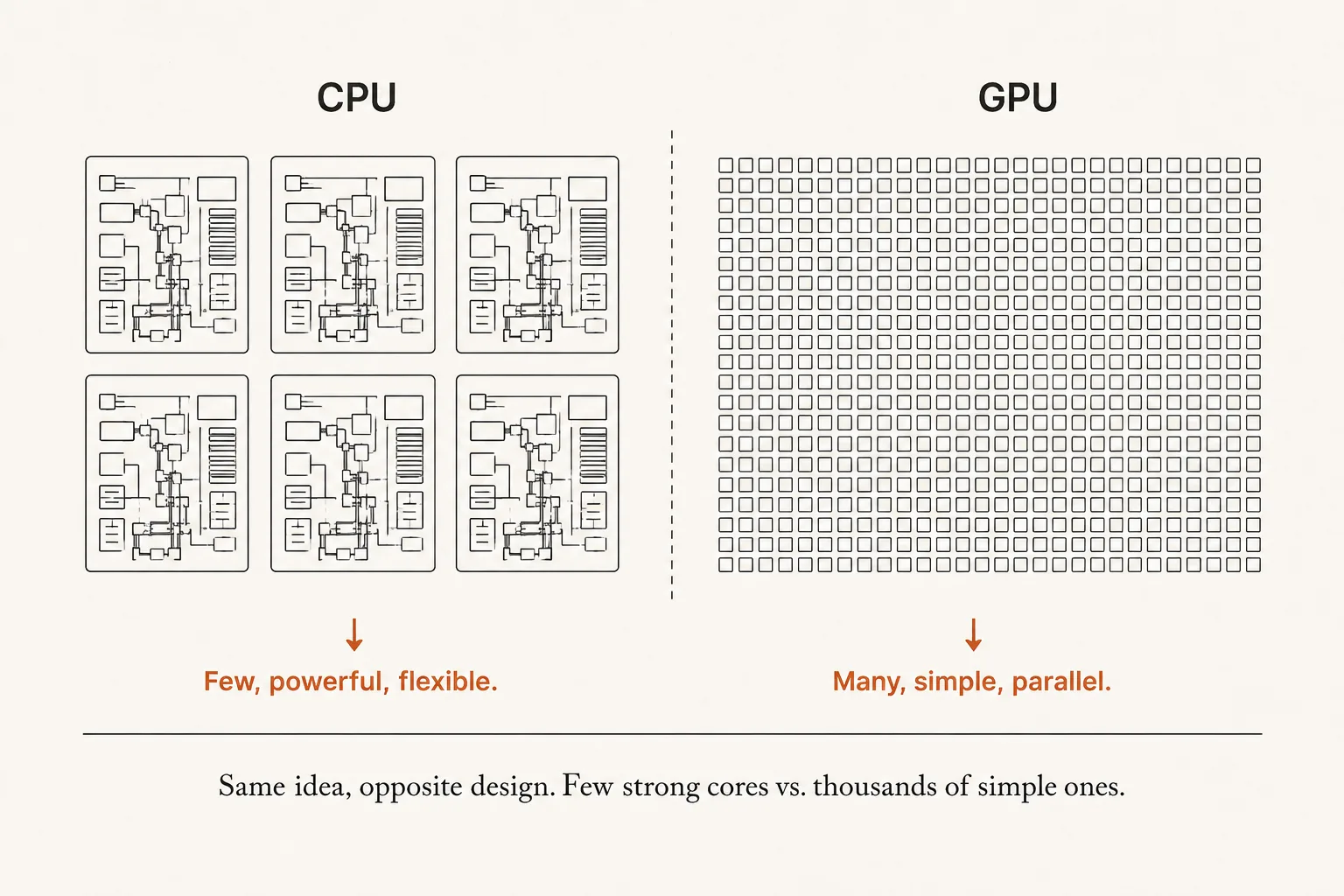
Neither is “better.” They’re built for different jobs. Your laptop has a great CPU because most of what a laptop does is exactly the CPU’s kind of work.
But an LLM? An LLM’s work looks a lot like a stadium full of identical tiny problems.
Let’s see why.
The punchline: an LLM is basically one operation, a billion times
Here’s the part that ties it all together.
When an AI model like ChatGPT generates a response, under the hood it isn’t “thinking” in any magical way. It’s doing math — specifically, a staggering amount of one particular operation called matrix multiplication.
Don’t worry about the name. Here’s all you need to know: matrix multiplication is really just the same tiny step — multiply two numbers, add them to a running total — repeated over and over, millions and billions of times.
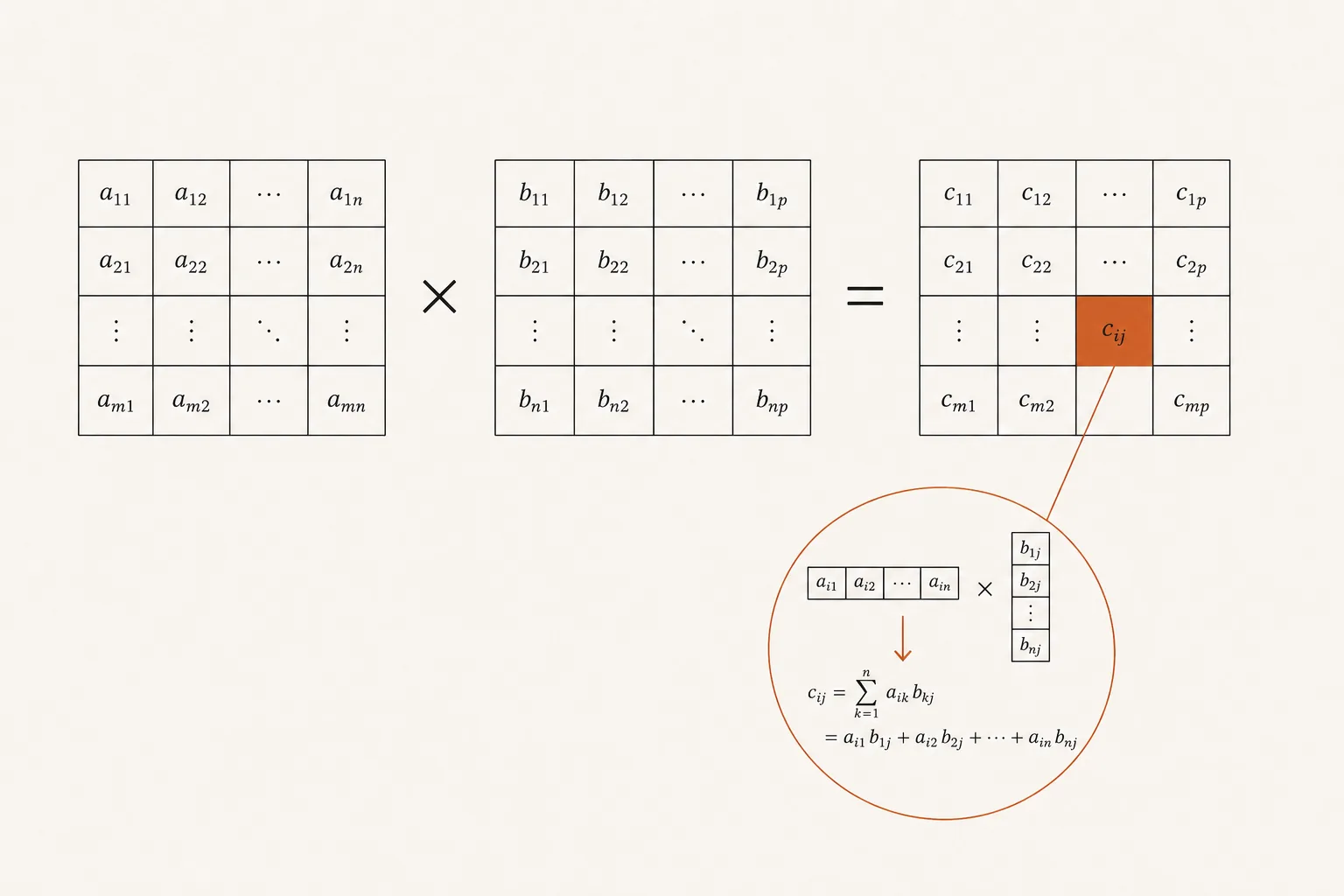
Now look at what that work needs:
- Not clever, twisty logic. → So the CPU’s brilliance is wasted.
- The same simple operation… → Exactly what simple workers can handle.
- …repeated billions of times, all at once. → Exactly what thousands of workers are for.
Do you see it? The work an LLM does is precisely the shape of work a GPU was built for — and precisely the kind of work a CPU is bad at doing in bulk.
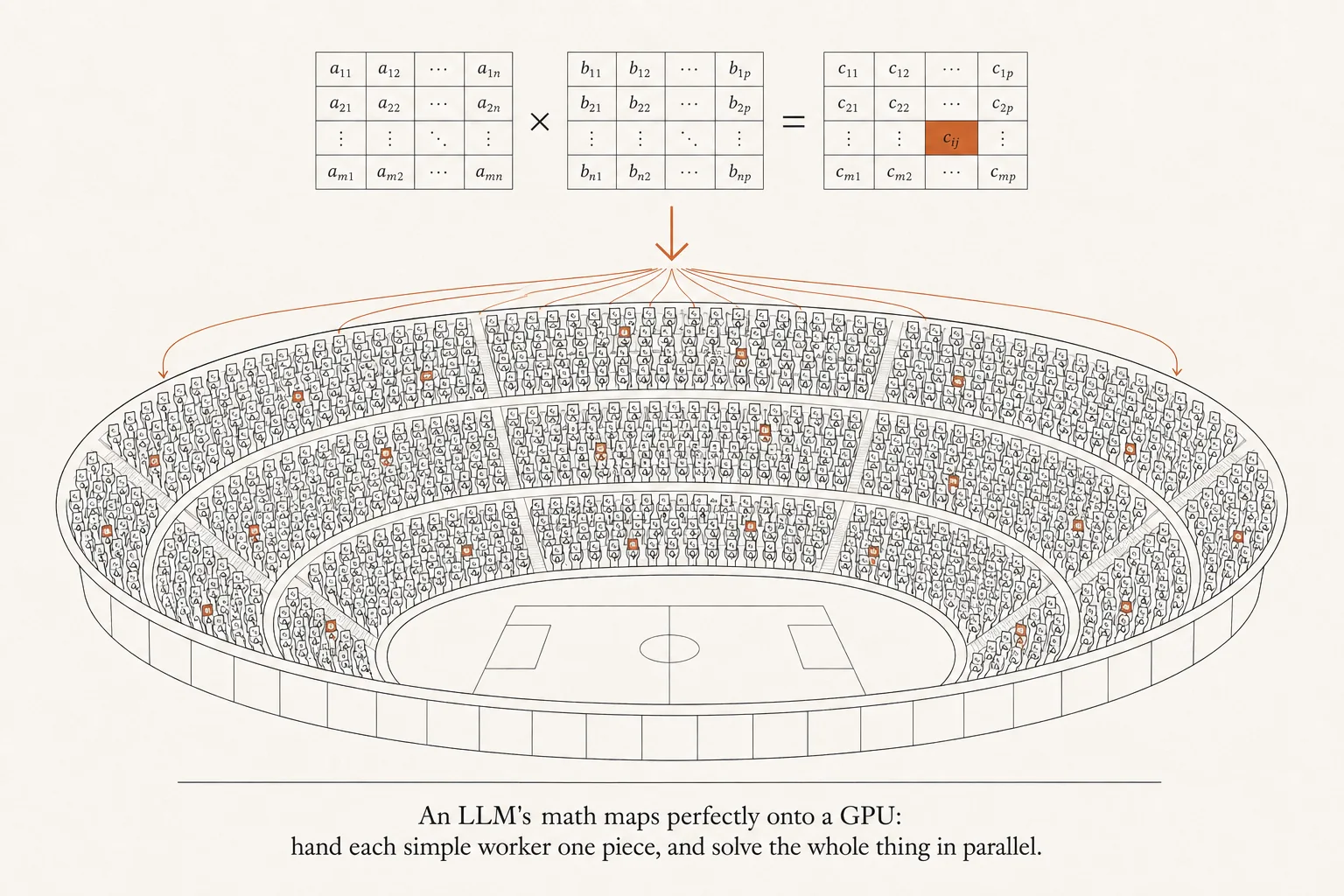
Ask your laptop’s CPU to do this, and its few genius cores would grind through the billions of tiny multiplications one small batch at a time. It can do it — it would just be painfully, uselessly slow.
Hand the same job to a GPU’s thousands of cores, and they chew through it together in a fraction of the time.
That’s the whole reason AI runs on GPUs. Not magic. Just a match between the shape of the work and the shape of the chip.
So why the giant servers?
One more piece clicks into place now.
Modern LLMs are enormous — hundreds of billions of those numbers (“parameters”) that all need to be fed through this math. A single GPU, powerful as it is, often isn’t big enough to hold a whole frontier model or fast enough to serve millions of users. So companies wire many GPUs together into those room-sized servers.
It’s the same idea as one stadium… just scaled up to a whole city of stadiums working together. (We’ll get to how they cooperate later in the series.)
But wait — the story actually starts on the CPU
Here’s the twist that sets up our next post.
Even though the GPU does the heavy lifting, an AI model doesn’t begin its life on the GPU. When a model is loaded, it starts as a huge file sitting on a hard drive. Before the GPU can touch a single number, that model has to travel:
from the hard drive → into the CPU’s memory → and only then onto the GPU.
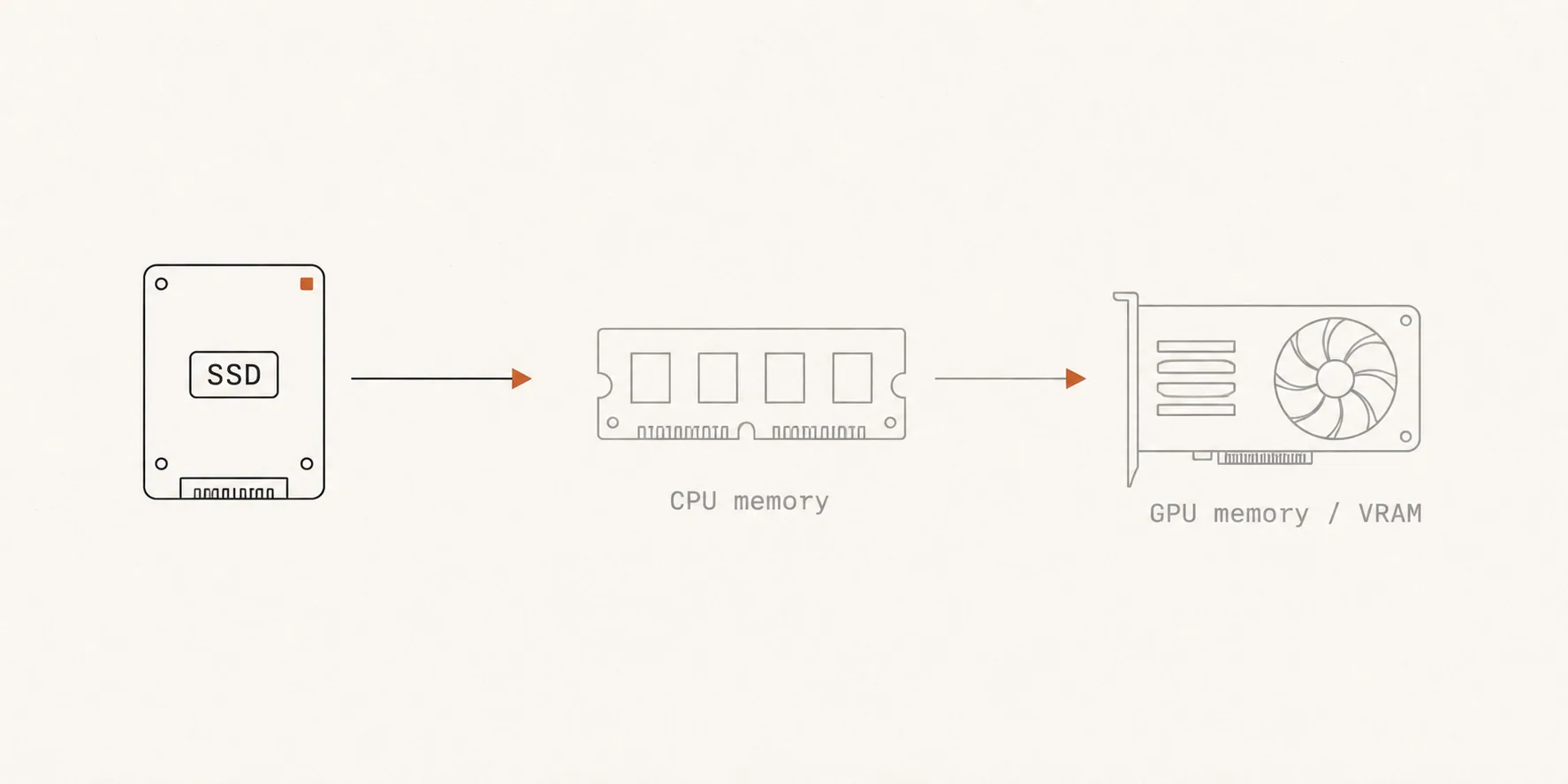
That journey — and why each step matters so much for speed — is where the real story of “how an LLM runs” begins.
TL;DR
- Your CPU has a few powerful, flexible cores — brilliant at doing complicated things one after another. Perfect for running your computer.
- A GPU has thousands of simple cores — built to do one simple operation in massive bulk, all at once.
- An LLM’s work is mostly one operation (matrix multiplication) repeated billions of times — the exact shape of work a GPU is designed for, and the exact thing a CPU is slow at in bulk.
- That match is the whole reason AI runs on GPUs — no magic, just the right tool for the shape of the job.
- But every model still starts on the CPU before moving to the GPU — which is where we’ll pick up next time.
Enjoyed this? Subscribe on the homepage to catch the next post.
Loading comments…
0 comments