
What's Actually Inside an LLM File?
Tensors, shapes, and precision — the numbers that make up a model, and why the same model can be 28 GB or 4 GB.
 Saif Bagmaru//5 min read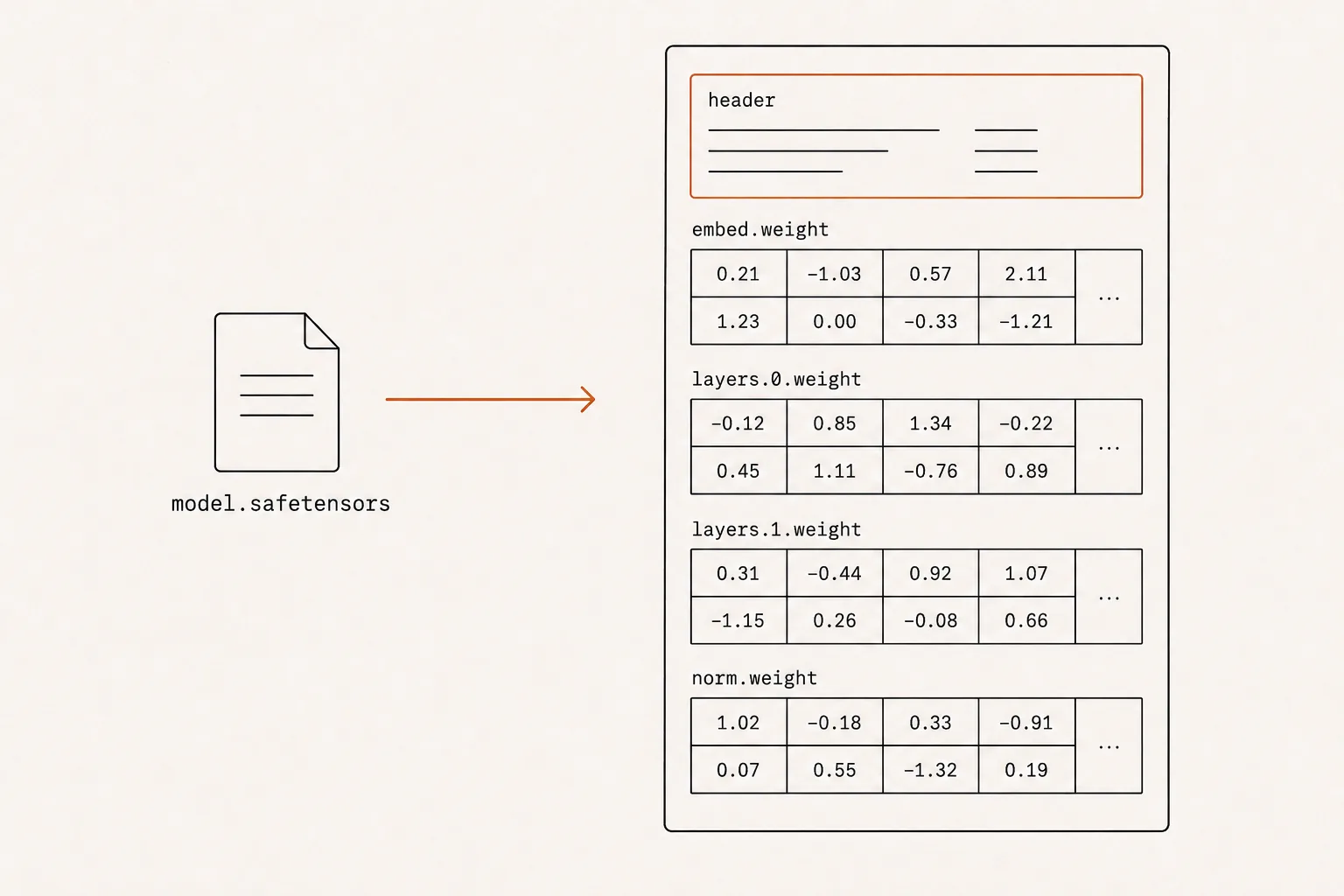
In the last post, we saw that a model doesn’t start on the GPU — it begins as a large file on disk that has to be loaded into memory. Before we can follow that journey, we need to answer a more basic question:
What is actually inside that file?
When you download an open-source model from Hugging Face, you get files with names like model.safetensors or llama-3-8b-Q4_K_M.gguf. They can be gigabytes in size. It’s tempting to imagine something complex and mysterious inside.
It isn’t. A trained model is just a large, organised collection of numbers. This post explains exactly what those numbers are and how much space they take up.
A model is a collection of tensors
The entire “intelligence” of an LLM is stored as its parameters (also called weights): billions of numbers that were adjusted during training. That’s it. A trained model is those numbers, frozen in place.
These numbers aren’t stored as one giant flat list. They’re organised into tensors — a tensor is simply a multi-dimensional array of numbers. A single number is a scalar, a row of numbers is a vector, a grid is a matrix, and anything of that shape or higher is called a tensor.
Every tensor in a model file carries four pieces of information:
- A name — for example,
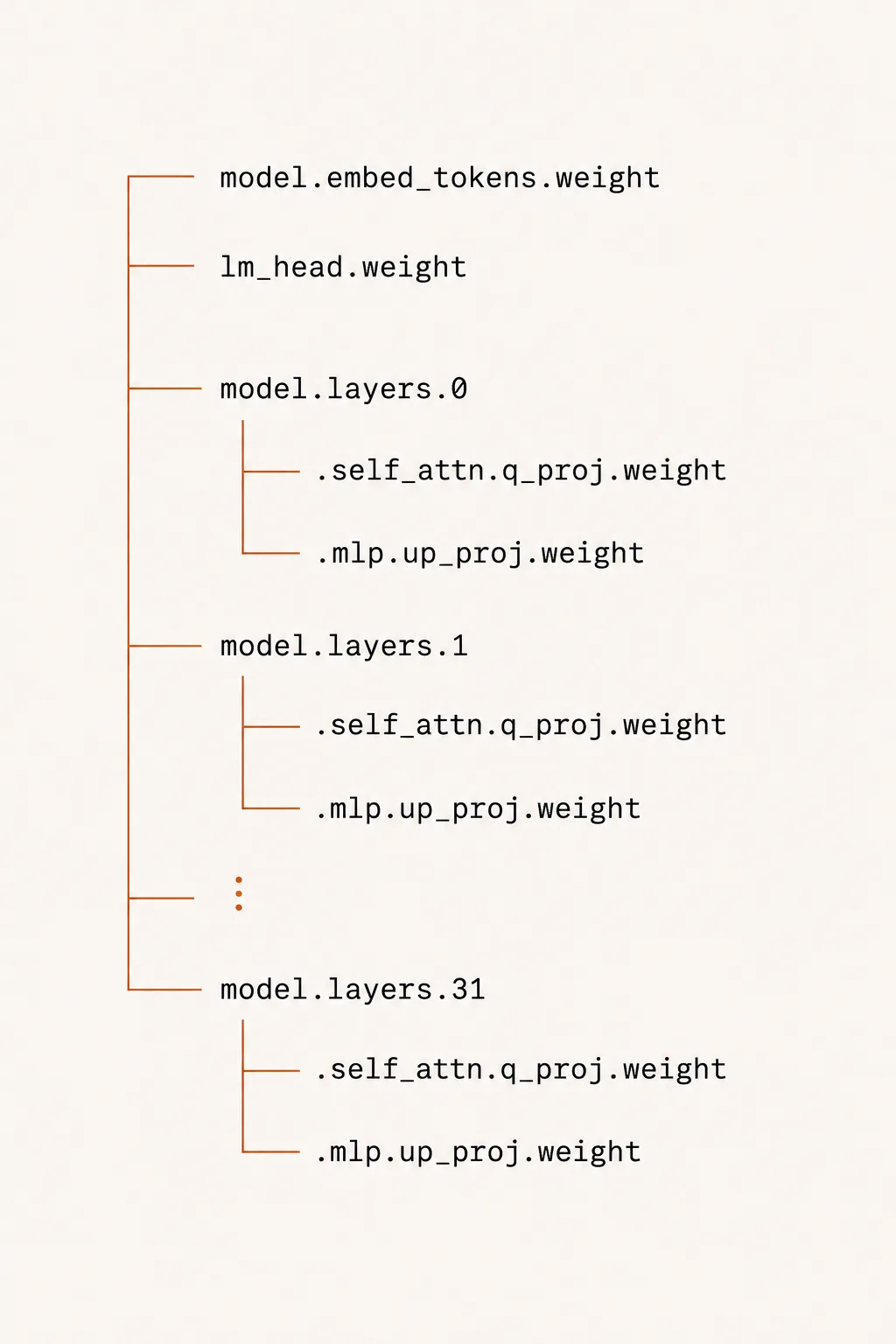
model.layers.0.self_attn.q_proj.weight. The name tells you exactly where in the network this tensor belongs. - A shape — for example,
[4096, 4096], meaning a 4096 × 4096 grid. - A data type (dtype) — such as
float16, which tells you how each number is stored. - The data itself — the raw numbers.
![A three-dimensional block of numbers with four labelled callouts: Name (model.layers.0.self_attn.q_proj.weight), Shape ([4096, 4096]), Dtype (float16), and Data (the numbers).](/images/post-2-whats-actually-inside-an-llm-file/02-anatomy-of-a-tensor.webp)
A full model is just hundreds or thousands of these named tensors stacked together — one set per layer, repeated for every layer in the network. In PyTorch this name-to-tensor mapping is called the state dictionary (state_dict), but the concept is universal: a model file is a dictionary of names pointing to grids of numbers.
Precision: why the same model can be 28 GB or 4 GB
Here’s the detail that determines a model’s size on disk and in memory: how many bytes each individual number takes up.
This is called precision, and it’s set by the data type. The common options:
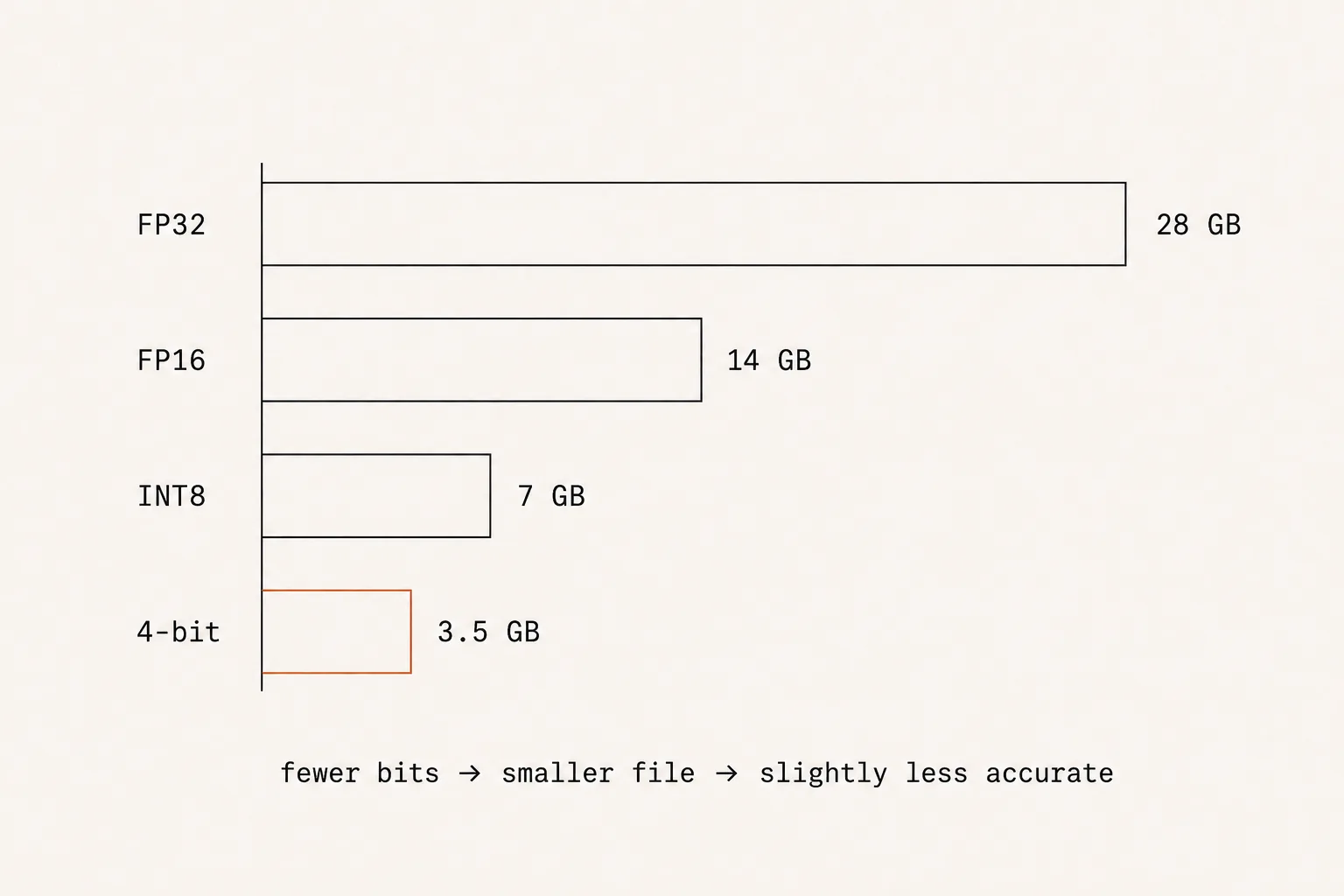
- FP32 (32-bit float) — 4 bytes per number. Full precision. Rare for shipping models; mostly used during training.
- FP16 / BF16 (16-bit float) — 2 bytes per number. The standard for most released models. Half the size of FP32 with almost no quality loss for inference.
- FP8 / INT8 — 1 byte per number.
- 4-bit — half a byte per number.
The math for a model’s size is refreshingly simple:
So a 7-billion-parameter model:
This is exactly the number that mattered back in Post 1: the reason a model needs so much memory is that every one of its billions of numbers has to physically live somewhere.
A quick word on quantization
Shrinking a model by lowering its precision — say, from 16-bit down to 4-bit — is called quantization. You’re trading a small amount of accuracy for a large reduction in size and memory use.
That’s all you need to know about it for now. There’s a lot more depth here (the “K” variants, per-block scaling factors, and so on), but that’s a topic for its own post. For this series, quantization just means: fewer bits per number, smaller file, slightly less accurate.
TL;DR
- A trained model is just a large collection of tensors — named, shaped grids of numbers (the parameters/weights).
- Each tensor has a name, a shape, a data type, and its data. A whole model is thousands of these, organised by layer.
- Precision (bytes per number) sets the size: a 7B model is ~28 GB in FP32, ~14 GB in FP16, ~3.5 GB in 4-bit. Size = parameters × bytes per parameter.
- Quantization = fewer bits per number → smaller file, slightly less accurate.
We now know what the numbers are. But the same set of numbers can be packed into a file in very different ways — and the choice affects security, what else ships alongside the weights, and how fast the model loads.
Enjoyed this? Subscribe on the homepage to catch the next post.
Loading comments…
0 comments